What is HoloEasy?
HoloEasy is a library you add to your Minecraft plugin so you can show floating text, items, and blocks in the world — usually called holograms.
You do not need to know how Minecraft packets or armor stands work. HoloEasy handles that for you.
Who is this for?
Anyone writing a Spigot or Paper plugin (Java or Kotlin) who wants holograms without building the packet logic from scratch.
If you have never made a hologram before, this guide is written for you. We start from zero and build up.
What can you do with it?
- Show a line of text floating above a location
- Show different text per player (each player can see their own message)
- Stack several lines into one hologram
- Use modern Display entities (nicer text / blocks on 1.19.4+)
- Detect when a player clicks a hologram
- Automatically show / hide holograms when players walk near them (pools)
Quick peek
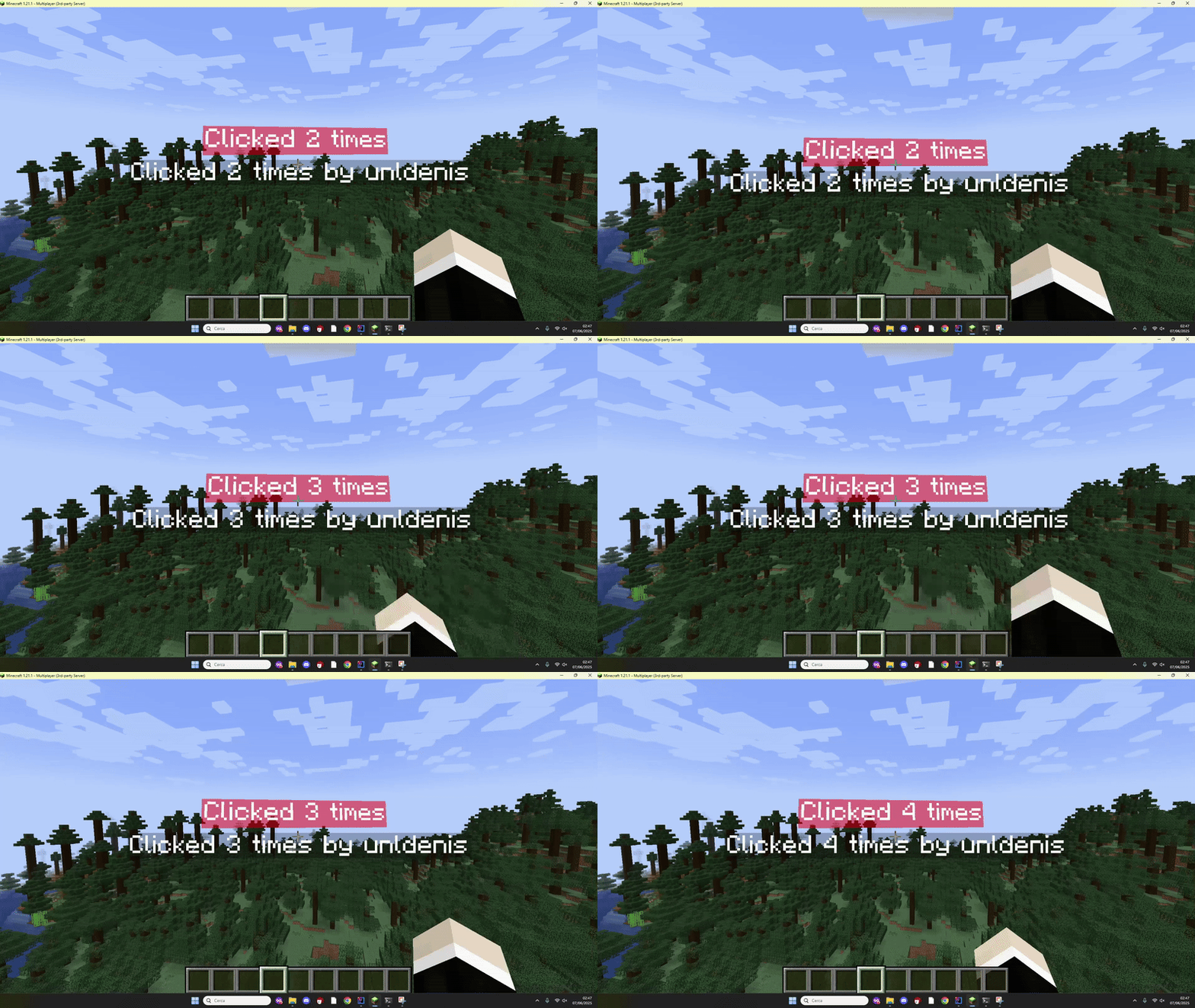
This is the kind of result you can get (clickable counter hologram from the example plugin):
How this guide is organized
- Requirements — what you need installed
- Installation — add HoloEasy + PacketEvents to your plugin
- Your first hologram — copy-paste a working “Hello World”
- Core concepts — lines, pools, clicks (when you are ready)
When you finish Your first hologram, you will already have something visible in-game.